
- Mac
- Productivity
- Office Tools
- Splotch Editor
Splotch Editor
Screenshots


Description
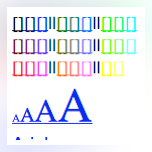
This handy tool lets you start typing text anywhere with a double click and allows you to move around text "splotches". You can save your creations as a web page, undo/redo changes, and format fonts with the Attributes menu. For Javascript/HTML experts, it offers the ability to create dynamic elements like movies or disappearing text.
Download of Splotch Editor 4.0 for Mac was on the developer's website when we last checked. We cannot confirm if there is a free download of this app available. This software for Mac OS X was originally designed by Brian Chen. The most popular versions of the application are 4.0 and 3.5.
According to the results of the Google Safe Browsing check, the developer's site is safe. Despite this, we recommend checking the downloaded files with any free antivirus software. The bundle id for this application is C8F3BBGPF2.com.mmaatthh.ed. The latest version of Splotch Editor can be installed on Mac OS X 10.7 or later. The software lies within Productivity Tools, more precisely Office Tools.
From the developer:
LESS THAN 2 DOLLARS! IN FACT, LESS THAN ONE!!
Lets you start typing text ANYWHERE you can double click. AND it allows you to move around the text "splotches." Save your creation as a web page.
ALSO, there is a nice undo/redo feature and an "Attributes" menu to format the font correctly.
Furthermore, if you are a Javascript/HTML guru, you'll love that you can just make things (movies, disappearing text) appear anywhere!
Happy Splotching.
You may want to check out more software for Mac, such as Tex-Edit Plus, Plain Text Editor or PDF Editor - Pro Edition Edit Docs, which might be related to Splotch Editor.




Comments
Subscribe to commentsPlease add a comment explaining the reasoning behind your vote.