
- Mac
- Productivity
- Timekeeping
- Desktop Clock
Desktop Clock
Screenshots


Description
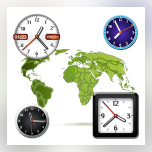
Stay organized and on time with this user-friendly app. Easily keep track of the time in your city, and add up to three additional time zones for even more convenience. With the option to keep the clock on top of other windows and resize it to your liking, staying on schedule has never been easier. Choose from 8 styles of clocks to customize your desktop clock experience.
The 2.2 version of Desktop Clock for Mac was available to download on the developer's website when we last checked. We cannot confirm if there is a free download of this app available. We recommend checking the downloaded files with any free antivirus.
The following versions: 1.8, 1.7 and 1.2 are the most frequently downloaded ones by the program users. The software relates to Productivity Tools. This program was developed to work on Mac OS X 10.6 or later. The actual developer of this Mac application is Raj Kumar Shaw.
From the developer:
Desktop Clock is a simple way of knowing exactly what time it is. The look and feel of the clock is very user friendly with many add ons that are always in plain view.
This is another app from iLifeTouch that will make your life easier one day at a time
Features
- Keep track of your city
- Add three additional timezones
- Option to have on top
- Option to resize clocks
- 8 Styles clocks
You may want to check out more software for Mac, such as Digital Desktop Clock, Desktop Clock free or Softmatic DesktopClock XL, which might be similar to Desktop Clock.




Comments
Subscribe to commentsPlease add a comment explaining the reasoning behind your vote.